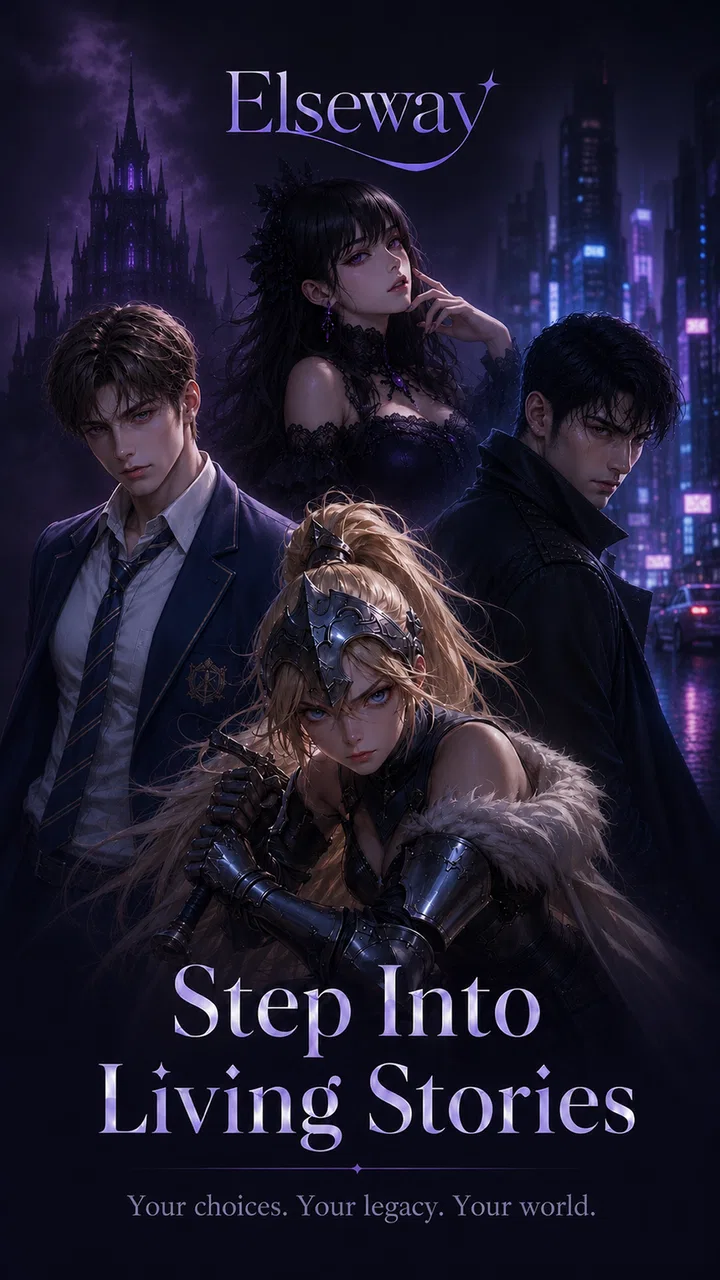
Elseway: Into the Story
- 3.7
- Rating
- 10.00K
- Installs
- Free
- Price

 Analysis by App-foxy
If you are curious about interactive entertainment that feels more personal than watching a fixed show, Elseway: Into the Story is an interesting app to try. It comes from OffAtom Inc. and presents itself as a place for multi-character AI stories, so the appeal is less about completing a traditional game and more about seeing how a story develops when several characters can take part. I approached it as a first-time user would: install it, look for a clear starting point, and try to reach a moment that feels like a real story rather than simply tapping through a novelty.
The app is free to install and belongs to the entertainment category, although in-app purchases range from $5.99 to $359.99 per item. That difference matters. You can explore without paying at the door, but I would still treat the purchase screen carefully and decide in advance how much, if anything, you are comfortable spending. The content rating is Teen, which is a useful signal for families: this is not an app I would hand to a young child without checking the experience personally first.
What Elseway feels like when you begin
The first thing to understand is that Elseway: Into the Story is not best approached as a conventional book, a streaming service, or a role-playing game with a fixed route. Its central idea is interaction with story characters, and that changes what “progress” means. Instead of waiting for a chapter to end, I found myself thinking about how to phrase a response, which character to address, and whether a small detail from an earlier exchange could influence the tone of the next one.
You May Also Like

 AccuWeather: Weather Radar
AccuWeather Review: A Quick, Clear Forecast for Everyday Decisions
For everyday plans, the best forecast is the one you can understand quickly. AccuWeather makes rain timing, radar, and local conditions easy to act on, with a few trade-offs.

 Hill Climb Racing
Why Hill Climb Racing Still Turns Crashes Into One More Run
A tiny car, a bumpy hill and one more upgrade: Hill Climb Racing keeps resurfacing because its simple chaos makes every near-miss feel personal.

 AliExpress - Shopping App
AliExpress Makes Global Shopping Feel Personal, but Shoppers Bear the Risk
AliExpress turns a global marketplace into a pocket-sized discovery engine. Its reach is useful, its shopping loop compelling, and its trade-offs easy to miss.

 Lords Mobile: Kingdom Wars
Lords Mobile Is a Kingdom-Building Routine, Not a Quick Match
A case-by-case verdict on the building, battles, device demands, and social commitments that make Lords Mobile rewarding for some players and exhausting for others.

 PDF Scanner app - TapScanner
TapScanner Makes Paperwork Easier to Capture, Check, and Share
TapScanner makes scanning with a phone feel less like a rescue operation and more like a dependable step in getting work done. Its capture tools are useful, though not flawless.

 Block Blast!
Block Blast! Shows How Much a Puzzle Game Can Leave Out
A quiet grid game shows why puzzle players increasingly value instant clarity, repeatable skill and low-pressure play—and where the genre still needs to catch up.
More From Our News Desk
View All News


That makes the app most appealing to people who enjoy improvisation. If you like imagining alternate conversations, testing different personalities, or exploring fictional situations at your own pace, the format has clear potential. It is also a good fit for someone who wants a short entertainment break without committing to a full episode or a long game session. You can enter with a simple idea and see where it goes.
At the same time, expectations need to be realistic. AI-driven storytelling can feel less polished than a scripted production. A character may respond in a way that is surprising for the wrong reason, a scene may lose momentum, or the direction may become less focused than you hoped. I see that unpredictability as part of the attraction, but it is also the main trade-off. If you want carefully edited dialogue, guaranteed continuity, and a definite ending, a traditional visual novel or story game will probably serve you better.
The app has an average rating of 3.7 from around a hundred ratings, which suggests a mixed but meaningful early reaction rather than universal agreement. Its install count is over ten thousand, so it is still a relatively small experience compared with mainstream entertainment platforms. That smaller scale can make the app feel experimental, and I think it is best judged as an evolving storytelling tool rather than as a replacement for a major game or streaming catalog.
Who will get the most from it
I would recommend trying it if you enjoy making choices through conversation instead of selecting from a long menu of conventional game actions. It can also suit writers, role-players, and readers who like exploring “what if” situations. For example, you might begin with a tense meeting between two characters, give one of them a cautious answer, and then see whether the exchange becomes cooperative, suspicious, or unexpectedly humorous.
The strongest use case is a short, imaginative session. I can picture opening Elseway during a commute, after dinner, or while waiting for an appointment, then spending a few minutes shaping one conversation. The experience does not require the same attention as a competitive game, but it is more engaging than passively scrolling because your wording becomes part of the activity.
I would be more hesitant to recommend it to someone who dislikes ambiguity. If you need every interaction to have an obvious purpose, the open-ended format may feel vague. It is also not the ideal choice for a person looking for a social network, a productivity assistant, or a conventional game with missions, scores, and a clear win condition. The value here comes from narrative experimentation, not measurable achievement.
Getting through the first setup without overthinking it
Elseway supports Android devices running version 7.0 or later, so compatibility should cover a broad range of phones and tablets. After installing it, my advice is to resist the temptation to judge the entire app from the first screen. Story-focused applications often make more sense once you enter a scenario and interact with it, so the useful goal is to reach the first character exchange as quickly as possible.
During setup, pay attention to the wording of any introductory prompts and purchase screens. Because the app is free but includes paid items, I would not tap through automatically. Read what each option is offering, especially if the interface presents a more prominent button for continuing with a purchase. This is not a criticism unique to Elseway; it is simply a sensible habit whenever free entertainment includes optional spending.
The current version is 1.4.4. If the app behaves differently after an update, I would first close and reopen it before assuming that something has gone wrong. With an interactive story app, a temporary loading issue or an interrupted exchange can make the experience look confusing. Starting a fresh session is often a better test than repeatedly tapping the same control.
One practical preparation makes a noticeable difference: decide what kind of scene you want before you begin. A vague instruction such as “tell me a story” gives you less control than a compact setup with a place, a mood, and a relationship. For instance, I would try something like a late-night conversation between two old friends who disagree about whether to leave town. That gives the characters enough direction while leaving room for the interaction to develop.
How to reach the first meaningful story moment
Your first successful action should not be finding the perfect sentence. It should be creating a response that gives the characters something specific to work with. Ask one character a direct question, reveal a small motive, or introduce a decision. “What do you want to do?” is serviceable, but “Why did you hide the letter until tonight?” creates a stronger dramatic opening.
I found that the multi-character concept becomes more interesting when I keep the roles distinct. Rather than addressing everyone with one broad instruction, I would name the character I want to hear from and explain what has changed in the scene. This reduces the chance of a flat exchange and makes it easier to follow who is reacting to what.
A useful first-session workflow is simple:
Choose one situation with a clear tension, such as a secret, a disagreement, or an urgent choice.
Give the characters different goals instead of making everyone cooperative.
Ask one focused question and let the response establish the next beat.
Refer back to a detail that appeared earlier, so the conversation feels connected.
End the session after a satisfying turn rather than forcing the scene to continue indefinitely.
The fourth step is especially valuable. If a character mentions fear, loyalty, or a hidden plan, bring that detail back in your next message. This creates a stronger sense of continuity than constantly introducing new ideas. It also helps you discover whether the app works for the kind of storytelling you enjoy. I would rather test one thread carefully than throw ten unrelated prompts into the same session.
Another non-obvious trade-off is the balance between control and surprise. The more instructions you give, the more likely you are to get a scene that matches your plan, but excessive direction can make the interaction feel mechanical. Short prompts leave space for unexpected turns, while detailed prompts are better when you need a particular mood or relationship. I recommend beginning with a loose outline and tightening your instructions only when the story starts drifting.
Where first-time users may become confused
The biggest possible confusion is treating the app like a normal game and searching for a single correct route. Elseway is better understood as a conversation-led story experience. If a response seems to open several possibilities instead of pointing toward one objective, that is not necessarily a failure. The question is whether the new possibilities give you something interesting to do.
It can also be unclear how much context to include in a message. Too little context may produce a generic reply, while too much can bury the central action. I get better results by separating the important parts: who is speaking, what they want, and what has just changed. A compact instruction such as “Mara wants to leave, but Eli blocks the door because he knows the truth” is more usable than a long paragraph containing several unrelated plot twists.
Character consistency is another point to watch. AI characters may not always preserve every detail exactly as a human author would. My workaround is to restate an important fact naturally when it matters. If a character is supposed to distrust another person, mention that distrust through the action rather than expecting the app to carry every nuance perfectly. This may feel less magical, but it gives you more reliable control.
There is also a difference between an entertaining surprise and a distracting one. If a reply takes the scene in a new direction but still respects the characters, I would follow it. If it contradicts the central situation, I would correct it immediately instead of building on the mistake. A short clarification is usually better than spending several exchanges trying to repair a scene that has already lost its foundation.
Because the app is rated Teen, I would approach themes and conversations with the same judgment I use for other teen-oriented entertainment. Parents should explore the experience before deciding whether it suits a particular child, and younger users should not assume that an interactive format is automatically appropriate simply because it looks like a story. The ability to guide a conversation is useful, but it also means the user has an active role in what develops.
Making the experience more useful after the first session
Once you understand the basic rhythm, I recommend treating each session as a small experiment instead of trying to create an entire novel at once. Start with one conflict, test how the characters respond, and then change one variable. You might replay the same premise with a more honest answer, a different character taking the lead, or a decision made earlier. Comparing those outcomes is where the app becomes more than a one-time curiosity.
A particularly effective workflow for writers is to use Elseway as a dialogue stress test. Give two characters opposing goals and ask questions that force them to reveal priorities. You may not keep the resulting text, but the exchange can expose where a character sounds too similar to another or where a conflict lacks pressure. I would treat the output as brainstorming material, not as finished writing that needs no editing.
For casual users, the best approach is lighter. Create a recurring situation with a small cast and return to it when you want a quick diversion. Keep a mental note of the strongest detail from the previous session, then use that detail as the opening for the next one. This gives the experience a sense of continuity without requiring you to plan a complete plot.
One important spending tip is to delay purchases until you know whether the basic interaction style suits you. The free entry point lets you decide whether you enjoy directing characters, correcting unexpected replies, and accepting an open-ended structure. Since individual in-app items can be expensive at the upper end, I would never purchase simply because a story moment feels exciting. Set a personal limit first, and make sure you understand what the item changes before confirming it.
Elseway also compares differently with familiar alternatives. A streaming service is better when you want polished pacing and no participation. A traditional interactive fiction title is usually better when you want authored branches and dependable continuity. A general chatbot may be more flexible for broad conversation, but it may not give you the same story-centered framing. Elseway’s advantage is the middle ground: it invites you to engage with fictional characters while keeping the focus on narrative situations.
Where it succeeds and where another option wins
In my experience, the app’s strongest quality is the feeling that a scene can respond to your attention. A small question can reveal a motive, and a change in tone can shift the direction of an exchange. That makes it more involving than reading a static summary of a story. The multi-character setup is also promising because conflict often becomes more natural when different characters can push against one another.
Its weakness is the same feature viewed from another angle. A story that can move in many directions may lack the discipline of a scripted one. You may need to guide the scene, repair a contradiction, or decide when an exchange has reached a good stopping point. Users who want the app to do all the narrative work may find that tiring.
I would also avoid presenting it as a substitute for a complete game. There is no reason to install it expecting the structure of a role-playing adventure, a puzzle title, or a competitive experience. Its rewards are conversational and imaginative. If that sounds appealing, the flexibility is a strength; if it sounds like extra work, a conventional story app will probably be more satisfying.
The early rating of 3.7 reflects why I would describe the experience as worth exploring rather than an automatic recommendation for everyone. Some people will enjoy the freedom and the unusual format, while others will want firmer boundaries and more polished progression. That split is understandable, and it is better to know which side you are on before spending money or investing time in a longer story.
My recommendation for a first visit
I suggest beginning with a short scene, two clearly different characters, and one decision that cannot be avoided. Give each person a separate reason for wanting a different outcome. Then ask a focused question, remember one detail from the reply, and use it to shape the next exchange. This path gets you to the app’s central appeal quickly without requiring a complicated setup.
Keep your first session free of pressure. You do not need to produce a perfect plot, discover every possibility, or decide immediately whether this will become a regular part of your entertainment routine. The useful test is simple: did you enjoy influencing the conversation, and did the characters give you enough material to want one more turn?
My overall view is that Elseway: Into the Story is best for curious users who enjoy guiding fictional conversations and accepting a little unpredictability. OffAtom Inc. has created an idea that feels distinct from ordinary video watching and from fixed-path story games, but the experience asks you to participate actively. I would recommend trying the free version first, approaching it with a specific scene in mind, and keeping purchases under deliberate control.
For me, the app works when I treat it as a pocket-sized storytelling partner rather than a finished entertainment package. It is a good choice for imaginative breaks, dialogue experiments, and alternate versions of a scene. It is not the right choice if you want guaranteed continuity, a fully authored plot, or a traditional sense of winning. If you understand that distinction before installing, your first meaningful story moment should arrive much more smoothly.
Elseway: Into the Story is currently on version 1.4.4 and is free to start, with a Teen content rating. I would give it a fair trial on a compatible device, begin with a small scenario, and judge it by the quality of the interaction rather than by expecting it to behave like a standard game. For the right reader, that open-endedness is exactly what makes it worth returning to.
FAQs for Elseway: Into the Story
01What is Elseway: Into the Story?
Elseway: Into the Story is an interactive narrative adventure focused on exploration, choices, and character-driven storytelling. Instead of simply watching events unfold, you influence the direction of the story through conversations and decisions. The experience is designed for players who enjoy atmospheric settings, mystery, and branching narrative moments more than fast-paced combat or traditional action gameplay.
02How does gameplay work in Elseway: Into the Story?
Gameplay mainly revolves around exploring story locations, examining details, meeting characters, and making choices during important conversations. Your decisions can affect how scenes develop and how you understand the events around you. The pace is deliberately thoughtful, so this game is better suited to players who enjoy reading dialogue, discovering clues, and following a narrative rather than completing repetitive missions.
03Is Elseway: Into the Story suitable for all ages?
The game’s suitability depends on its themes, dialogue, and the maturity level recommended by the platform listing. Although it is not primarily an action game, narrative adventures can still include emotional situations, suspense, conflict, or mature subjects. Parents should review the official age rating and content information before allowing younger players to download it, especially if the device is used by children.
04Does Elseway: Into the Story require an internet connection?
Whether a permanent internet connection is needed may depend on the version installed and the features being used. Story content may be playable offline after installation, but online access can sometimes be required for downloading data, receiving updates, synchronizing progress, or completing platform verification. Check the store description and test the game before traveling if you expect to play without reliable connectivity.
05Is Elseway: Into the Story free to download and play?
The download model can vary between Android and iOS, so you should check the current store listing before installing. Some narrative games are free to download but include optional purchases, while others require an upfront payment or unlock additional chapters separately. Review the price, in-app purchase details, and any account requirements carefully to understand the complete cost before starting the story.
Pros
- Immersive story presentation with atmospheric visuals and sound.
- Choices make the experience feel personal and encourage replaying.
- Short sessions suit casual play on phones and tablets.
- Distinctive narrative style keeps it different from typical mobile games.
- Simple controls make it accessible without a lengthy tutorial.
Cons
- The experience may feel too brief for players seeking a long adventure.
- Some choices have limited visible impact on the overall storyline.
- Pacing can be slow if you prefer action-focused games.
- Replay value depends heavily on your interest in exploring alternate outcomes.
- Performance and loading may vary across older mobile devices.

Elseway: Into the Story
Gallery